 TM
TMFamily information, kept in order
Keep family details and the next steps together.
Keep family details, useful contacts and follow-ups together. See what needs doing, who’s handling it and where to find the information.
Start with one useful detail — a school contact or your pet's vet.
Already have an account? Sign in
One everyday example
From a school form in the pile to a clear next step.
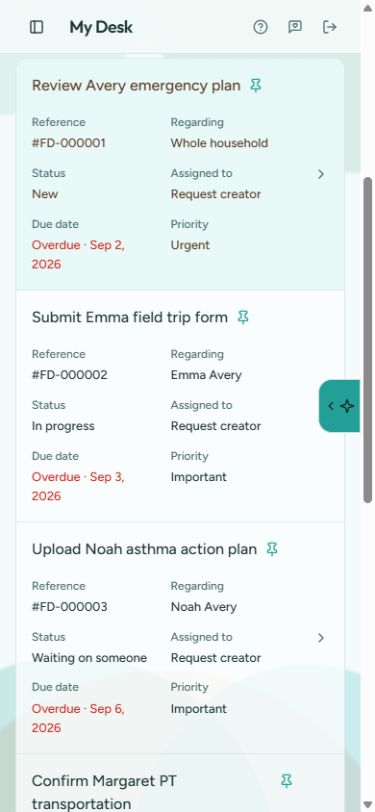
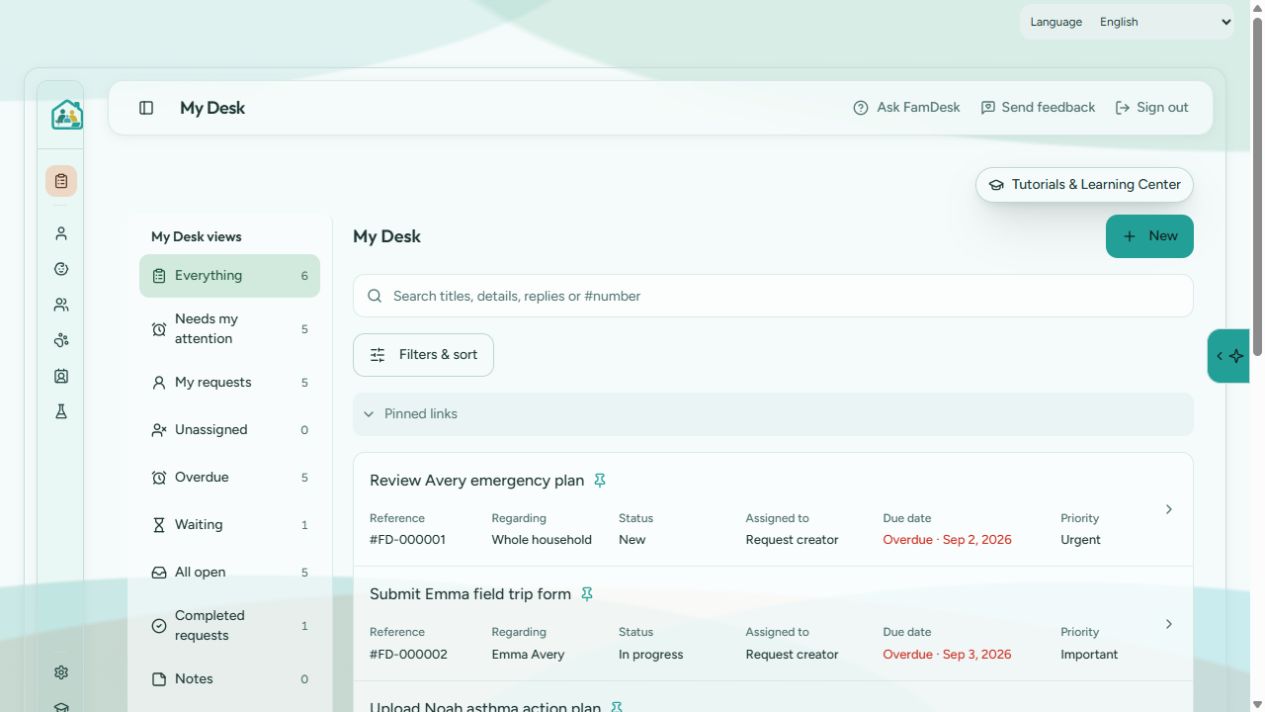
A real example from the fictional Avery household: Emma's field trip form. The same pattern works for a vet visit, a repair request or a note for a caregiver.
See what needs you
My Desk lists every request with its status, who it's assigned to, its due date and priority — so nothing has to wait in a group chat.
Open the request
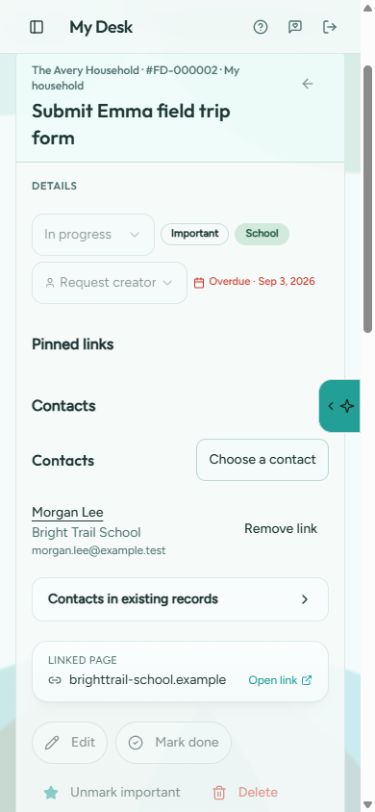
Emma's field trip form opens with her profile, the Bright Trail school contact and the parent portal link saved alongside it.
Record progress and pass it on
Add an update, change the status or mark the request done. Household members with access can follow the progress.
What's inside
Five things FamDesk keeps together
Keep everyday information close to the work it belongs with.
My Desk
Requests and follow-through for your household, with views for what needs attention, what's waiting and what's done.
Profiles and care
Your own details, children, adult dependents and pets — each with the notes and history that matter day to day.
Contacts
Schools, doctors, sitters, neighbors and family, kept with the person or pet they belong to.
Saved portal bookmarks
Save the web addresses you keep hunting for — school portals, insurance pages, vets — next to the person they're for.
Permitted sharing
Invite the people you trust and share only what each person should see, as a household.
Built for real households
Different families, same simple idea
Busy households
Keep school forms, activities and follow-ups together for the household members who need them.
Adult care
Medication notes, doctor contacts and check-in plans for a parent or relative who needs support.
Pets
Vet details, feeding notes and care reminders for the animals that are part of the family.
Just for you
One person is a household of one — keep your own details and to-dos in the same familiar structure.
Start with what helps you, and invite others when you want to coordinate.
Privacy and access
Your household's information stays yours
Keep household details together with access based on each member’s permissions. You choose who to invite.
- Private by design — household details aren't public and aren't used for advertising.
- Choose who joins, then manage their role and access.
- No passwords stored for other services — saved links are web addresses only.
- A plain privacy policy — read exactly what we collect and why.
A helpful assistant, on your terms
The public assistant on this site answers questions about FamDesk from public information only. Inside the app, help starts with page guidance and doesn't look up your saved information. Two separate options, off by default, can allow answers based on the information you permit, or propose changes that you review and confirm before anything is saved.
Getting started
Start with one useful thing
Create your account
Sign up free — no card needed.
Save one useful detail
Add a child, a pet or a single request. A school contact or the vet's number is a fine start.
Invite someone you trust
Bring in a partner, grandparent or caregiver when it's useful — or keep going on your own.
When offered, optional example information helps you explore before adding your own details.
Free plan
FamDesk's core features are free to use today.
Optional household Plus
$4.99 USD per month, available for paid enrollment in the United States.
Plus starts with a two-calendar-month trial that needs no card. Without enrollment, your household simply returns to Free when the trial ends — there's no automatic paid conversion.
Ideas for your household
Explore family guides and answers to common questions, at your own pace.
What is FamDesk?
FamDesk is a private family organizer for household details. It gives a household one place to keep profiles for children, dependents, and pets, the contacts around them, saved links to portals and forms, and the requests, notes, and follow-ups your household needs to handle.
Do I need to install an app?
Open famdesk.app in the web browser on your phone, tablet, or computer. You can use FamDesk directly in your browser.
Does FamDesk cost anything?
FamDesk has a free plan. Optional household Plus is $4.99 USD per month and is currently available for paid enrollment in the United States. The two-calendar-month Plus trial needs no card. If you enroll during the trial, your first charge is at trial end, then monthly until canceled. Without enrollment, your household returns to Free when the trial ends.
Who can see my household's information?
FamDesk organizes information in private household spaces. Invite trusted people using their own accounts. Household owners manage members and pending invitations and can remove a member's access; what a member can do depends on their permissions.
Details are in the Privacy page (famdesk.org/privacy) and the Terms page (famdesk.org/terms).
Give your family details a home.
Where family life finds its place. A private family management platform. Open FamDesk to get started.